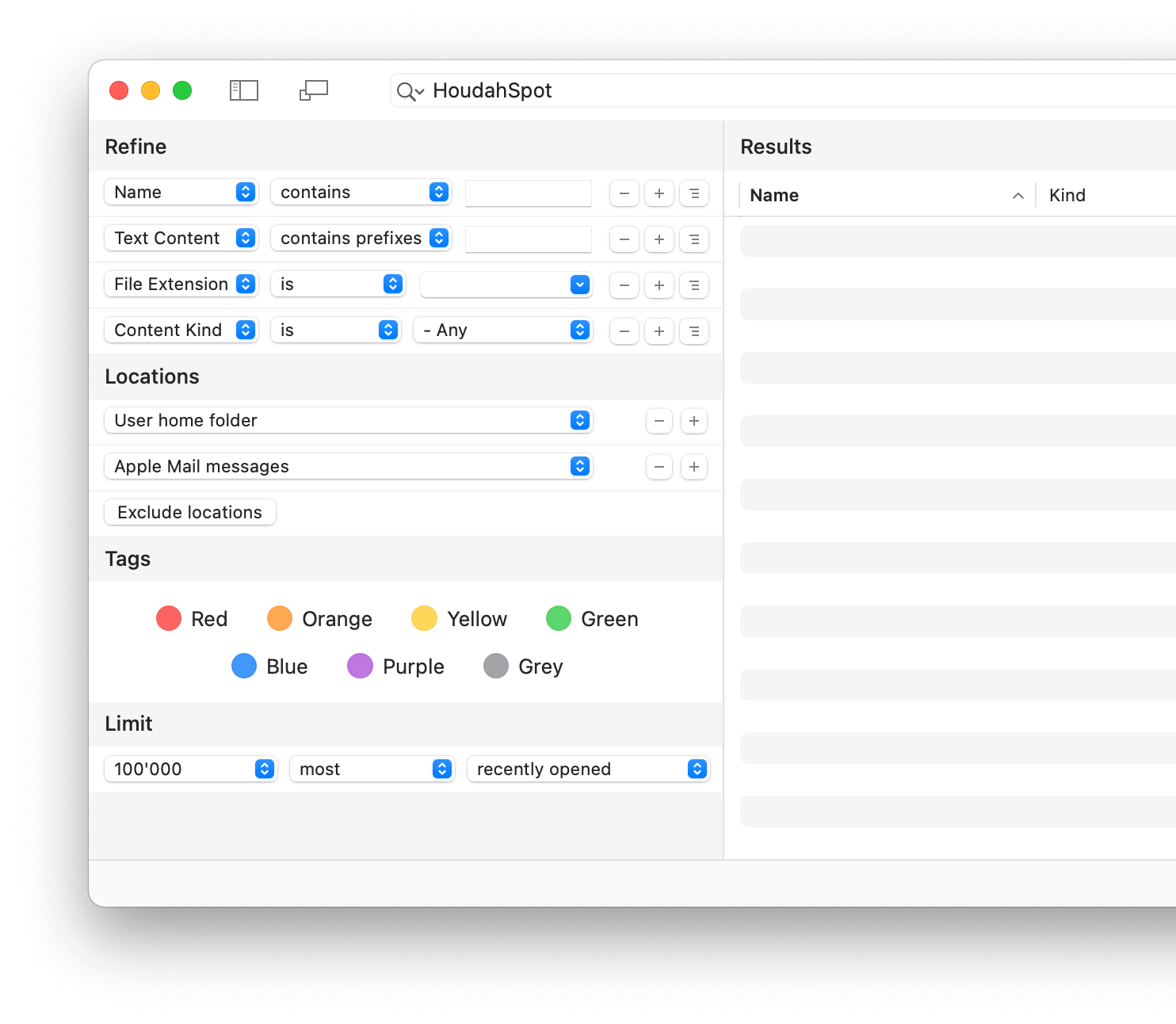
Find Files Instantly on Your Mac
Stop wasting time searching for files on your Mac. HoudahSpot helps you quickly find documents, correspondence, photos, and other files using advanced search criteria and Spotlight indexing.
- Start with a simple search
- Refine it by adding and combining criteria
- Search several folders at once while excluding others
- Add and sort by any of the hundreds of columns available
- Preview files and text matches before opening them
HoudahSpot is an advanced file search app for macOS with a convenient, easy-to-use interface that keeps the details you need close at hand.
When Finder search falls short, HoudahSpot gives you the tools to quickly find files by name, text content, metadata, date, and more.
Customer Voices
Start using HoudahSpot today!
Download Free TrialWhat you need.
When you need it.
HoudahSpot takes the tedium out of Mac file search. Use it to locate hard-to-find files, narrow large result sets, and keep frequently used files within easy reach.
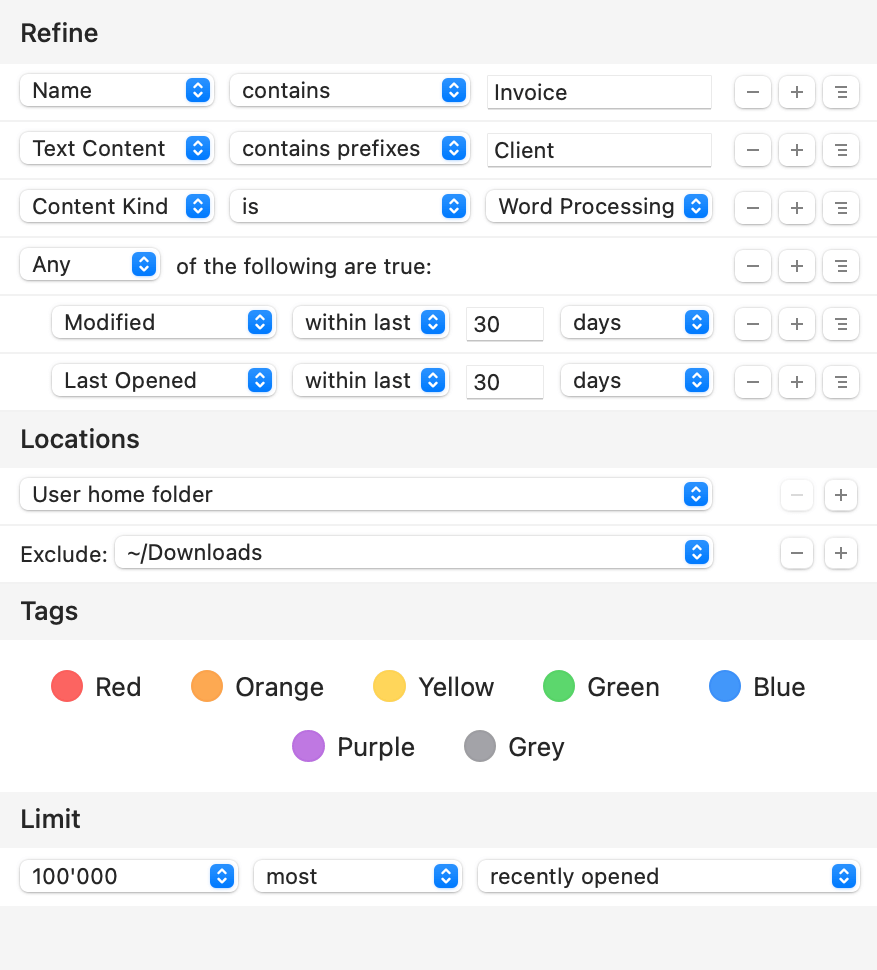
- Word processing files containing “invoice” or “estimate”
- Image files named “logo” that are 512 pixels wide
- Files created, modified, or opened in the last 7 days
- Any file ‐ source code, invoice, letter ‐ mentioning a particular client
HoudahSpot is an essential file search app for professionals and power users who work with thousands of files. It helps you find files by content on Mac, search by metadata, and zero in on exactly the files you need.
Powerful File Search
- Find files by name, content, file extension, author, recipient, image resolution, and more
- Combine criteria to narrow in on the files you need quickly
- Customize columns in the search results list
- Filter results to focus on relevant files
- Set up templates for recurring searches
HoudahSpot is a powerful desktop search tool and a practical Spotlight alternative for Mac users who need more precise filtering and better visibility into their files. It builds upon macOS Spotlight to deliver advanced file search for macOS.
HoudahSpot 6.6 requires macOS 10.14 Mojave or newer with Spotlight indexing enabled. It is fully compatible with macOS 26 Tahoe.
HoudahSpot is optimized for both Intel and Apple Silicon Macs. Apple Mail search is no longer available since macOS Sonoma.
Feature Highlights
Quick Search Field
Find files by typing just a few words.
HoudahSpot starts the search at your command: hit Return when you are ready. It is a fast, focused way to begin a Mac file search without losing control over the results.

Refine your Search
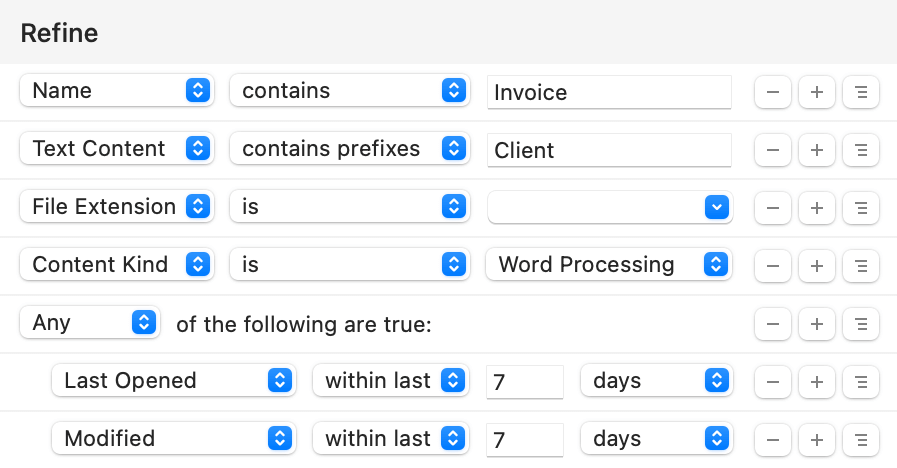
Search by name, text, file extension, tags, date created, file size, resolution, author, and more.
Add criteria to narrow down your search and find the exact files you are looking for.
Combine criteria into boolean operator groups to find files that match any, all, or none of the criteria in the group.
Search text for words, prefixes, or exact phrases. Use “*” as a wildcard for partial matches. This makes it easy to find files by content when you remember text but not the file name.
Locations
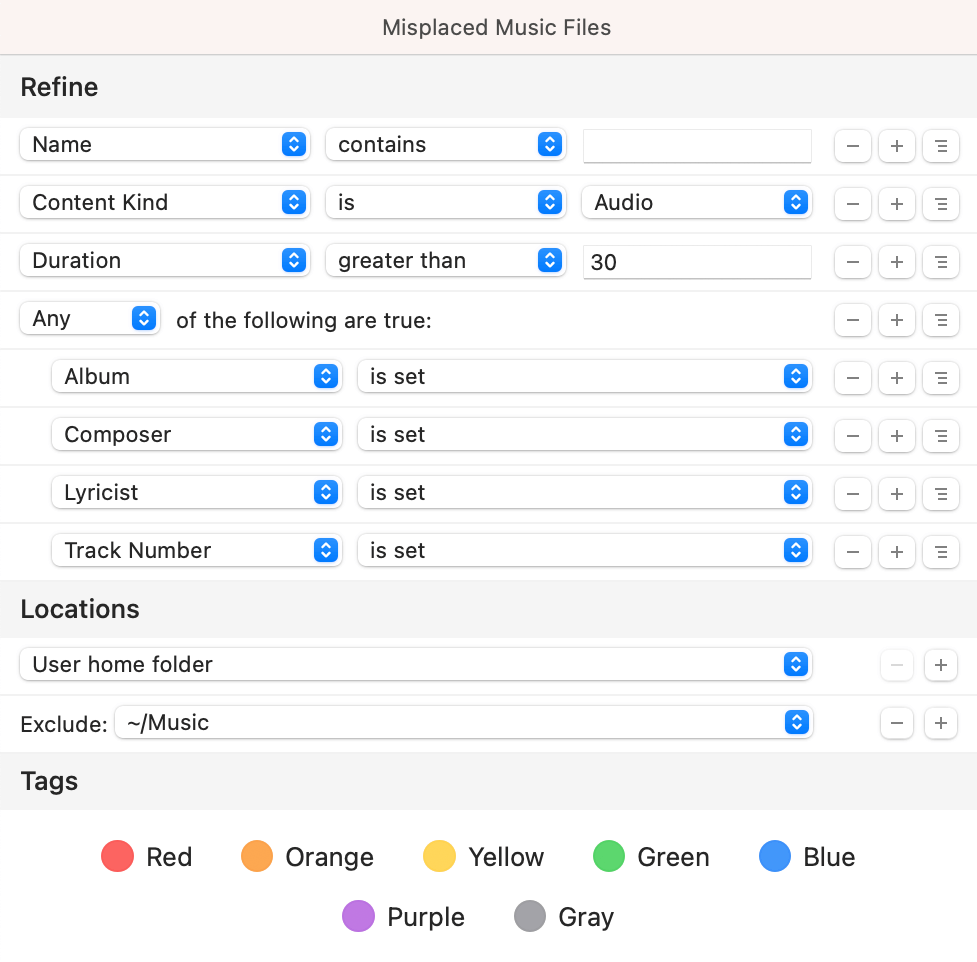
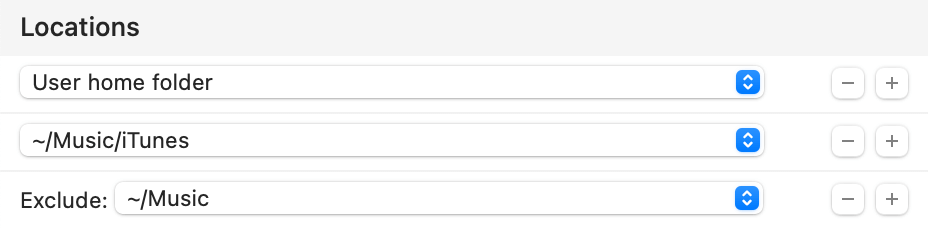
Search several folders at once. Specify which subfolders to include and which to exclude.
HoudahSpot can, for example, search your home folder, skip the Music folder, but still show results from the iTunes folder nested within your Music folder.
Search Results
Customize the results display: view as a list, icons, or thumbnails.
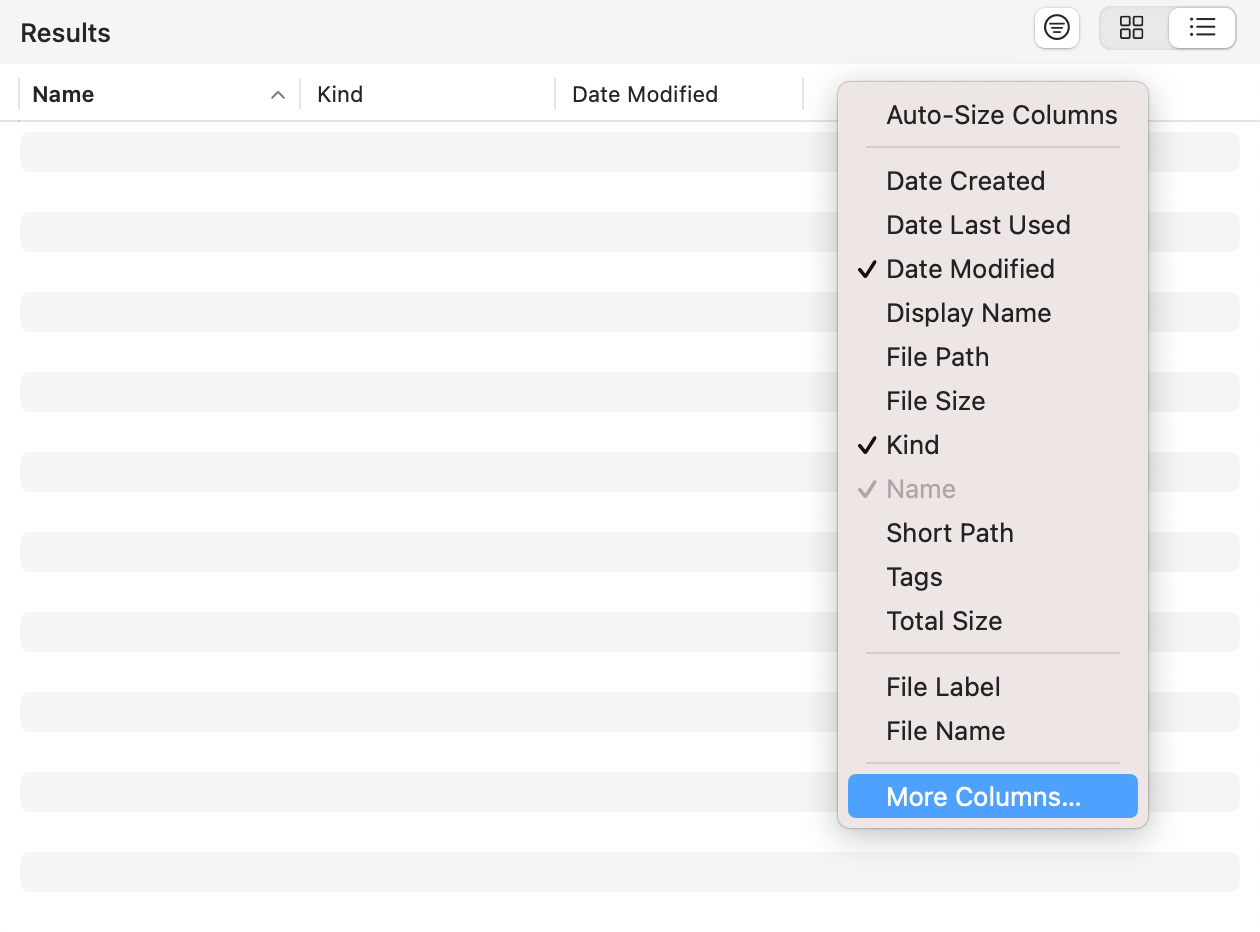
Add and sort by any of the hundreds of columns available. See file paths, folder sizes, image dimensions, and more.
Arrange search results in groups by kind, date, size, or application.
Save your perfect setup of criteria, locations, and display options as the default for new windows.
Preview & Info
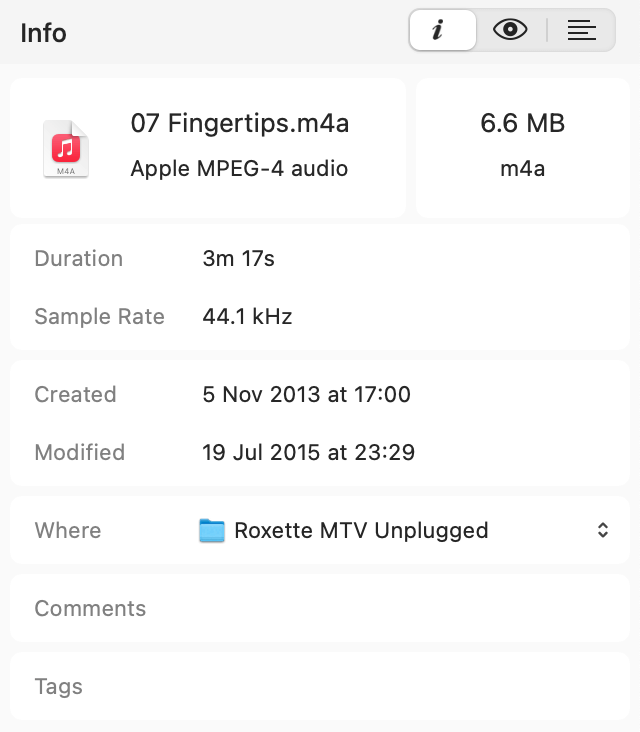
The Info pane, Quick Look, and Text Preview help you explore search results and pick the files you need.
A concise summary shows the most relevant properties of found files, including file size and modification dates, as well as image dimensions, video duration, and more.
The Info pane also shows detailed file properties and metadata as indexed by Spotlight. Use this information to filter search results or create new search criteria.
Folding Text Preview
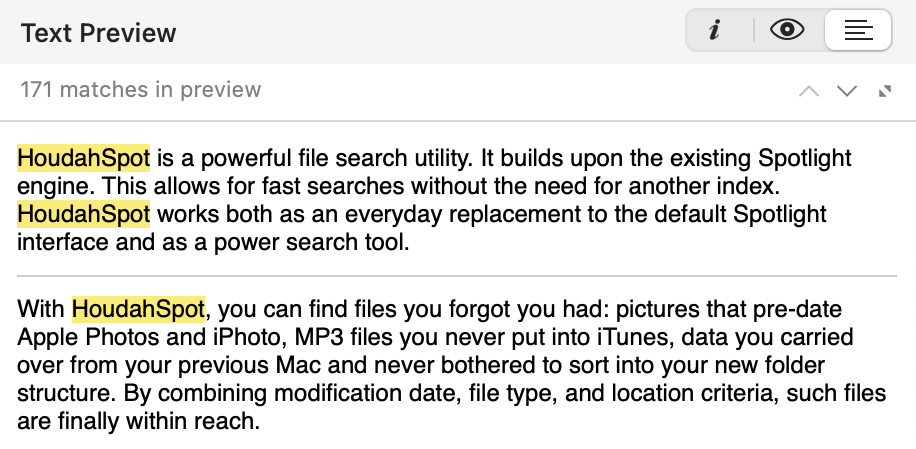
Quick Look and Text Preview let you peek inside found files without opening them. HoudahSpot’s Text Preview can highlight the text you searched for.
HoudahSpot can “fold” the preview to show only text close to highlighted matches. That makes it easier to see the context in which the text was found and helps you find files by content more efficiently.
Templates
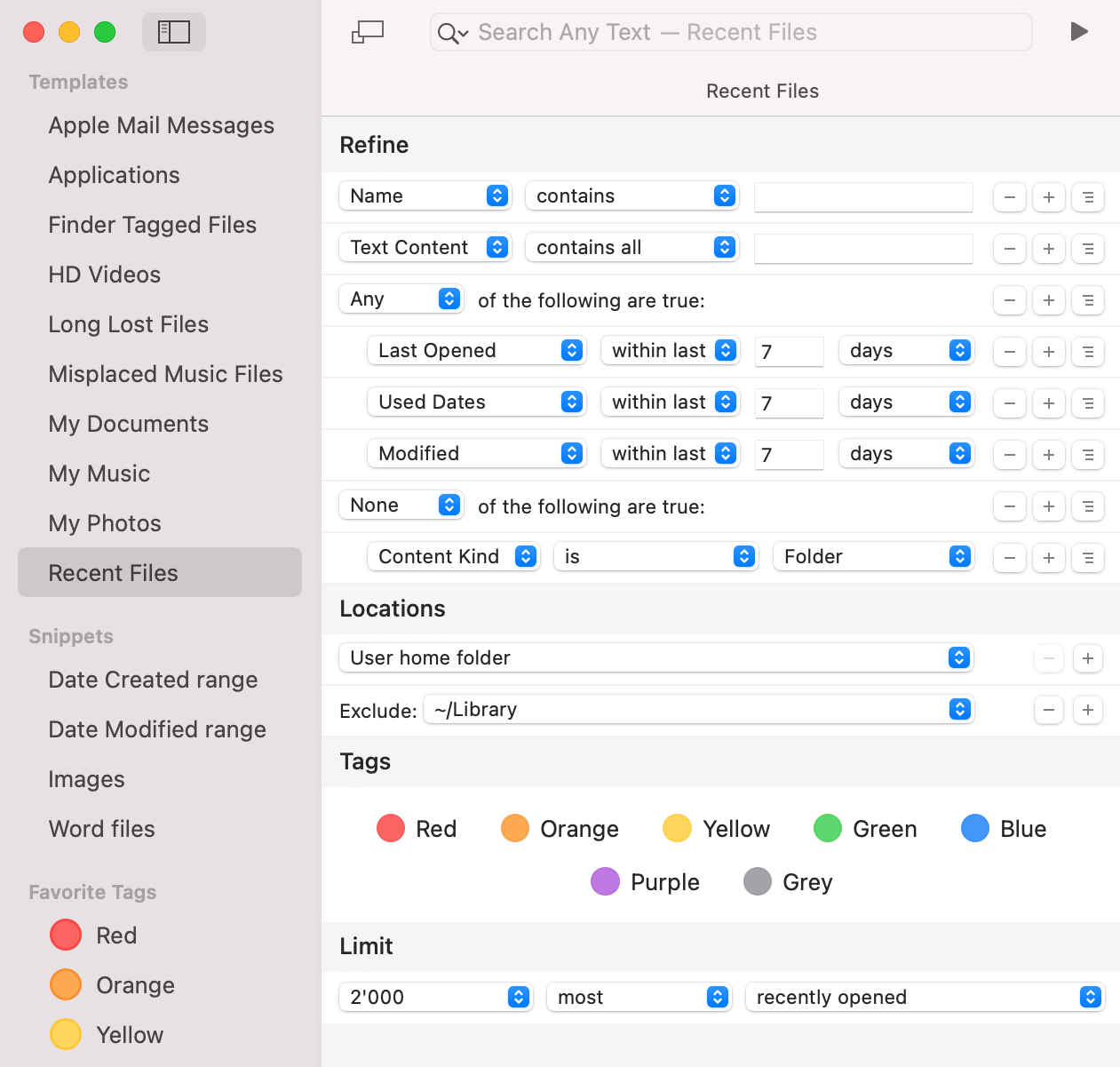
Save searches as templates. These serve as blueprints for new searches.
HoudahSpot comes with a set of sample templates. The “My Music” template is set up with useful criteria for finding audio files such as composer, lyricist, genre, and bit rate.
Templates also allow quick access to frequently used files. The “Applications” sample template lists all your applications. “Recent Files” finds files opened or modified within the past 7 days.
Power User Features
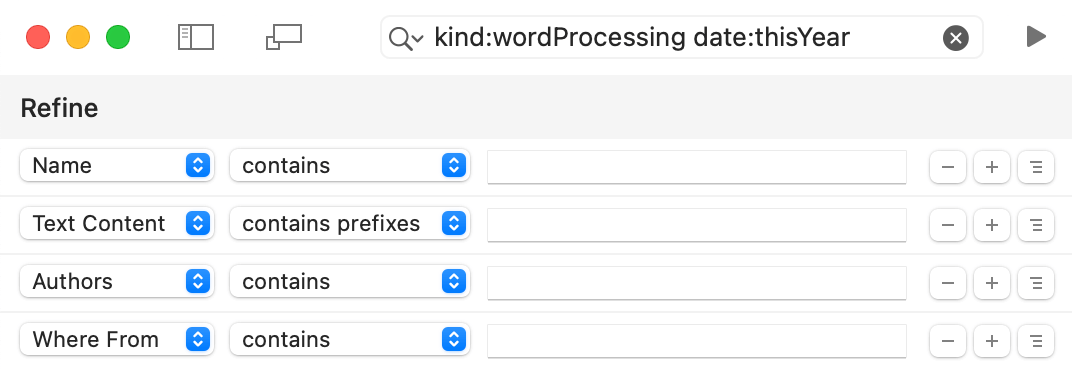
- Enter advanced queries in the search field
- Copy result lists as tab-delimited text
- Inspect files by dropping them onto the Info window
- Automate searches using AppleScript
- Start HoudahSpot searches from third-party tools like Alfred, LaunchBar, Butler, and more
Advanced Filters
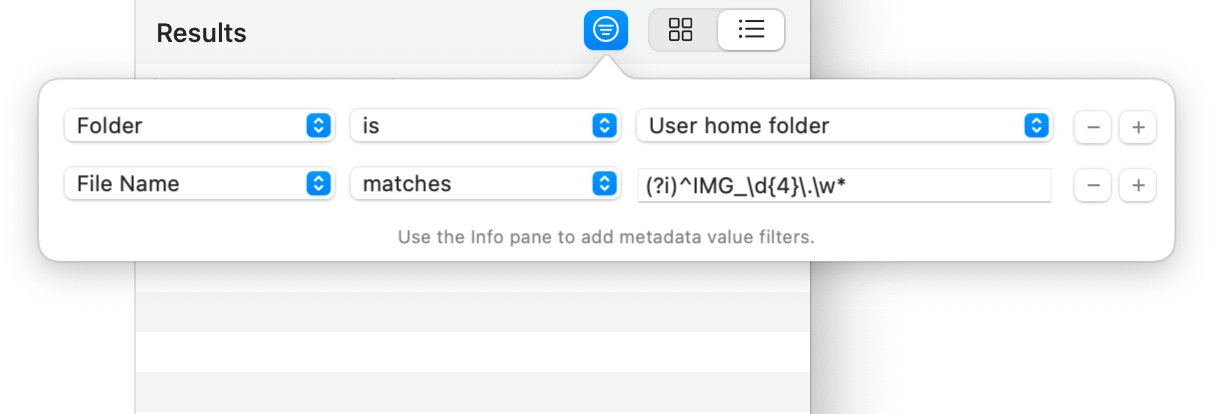
- Filter search results by name or path
- Match with regular expressions
- Focus on relevant files
- See only files at the top level of a folder
- Select files sharing a common property
What’s New in HoudahSpot 6
- Search Apple Mail message files *
- Tag cloud. Refine searches using Finder file tags
- Top-level files. List matching files at the root of a folder
- Arrange files by date, size, application, tags, or volume
- Find files having a specific attribute.
e.g. images with GPS coordinates
- Powerful filters. Focus on relevant files
- Recent searches
- Share a search
- New columns in search results
- A quicker way of using Snippets
- Improved support for VoiceOver
HoudahSpot 6.8 requires macOS 10.14 Mojave or newer with Spotlight indexing enabled. It is fully compatible with macOS 26 Tahoe.
HoudahSpot is optimized for both Intel and Apple Silicon Macs. Apple Mail search is no longer available on macOS Sonoma or Sequoia.