

Easy and Efficient File Search
Tembo is a super-efficient, organized file search tool. It will get to your files as quickly as possible.
Tembo finds documents, folders, PDF files, images, videos, and more.
Grouped Search Results
Search starts with a single text entry. Tembo then groups search results by file type category.
For each group, Tembo first shows the top 10 matches. Often enough, you will find the sought for file right here.
Drill-down into groups to see up to 50'000 results.

Drill Down & Filters
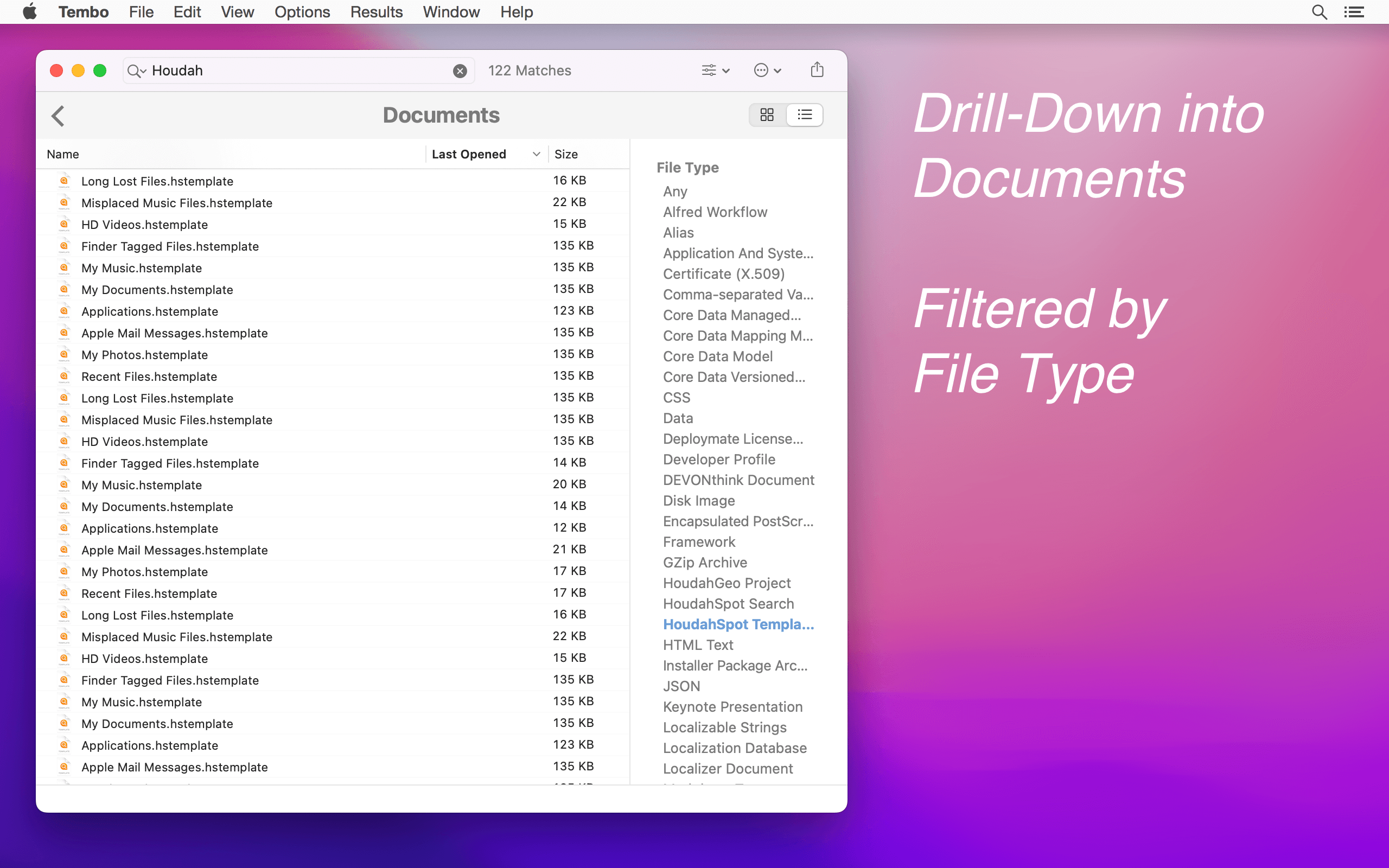
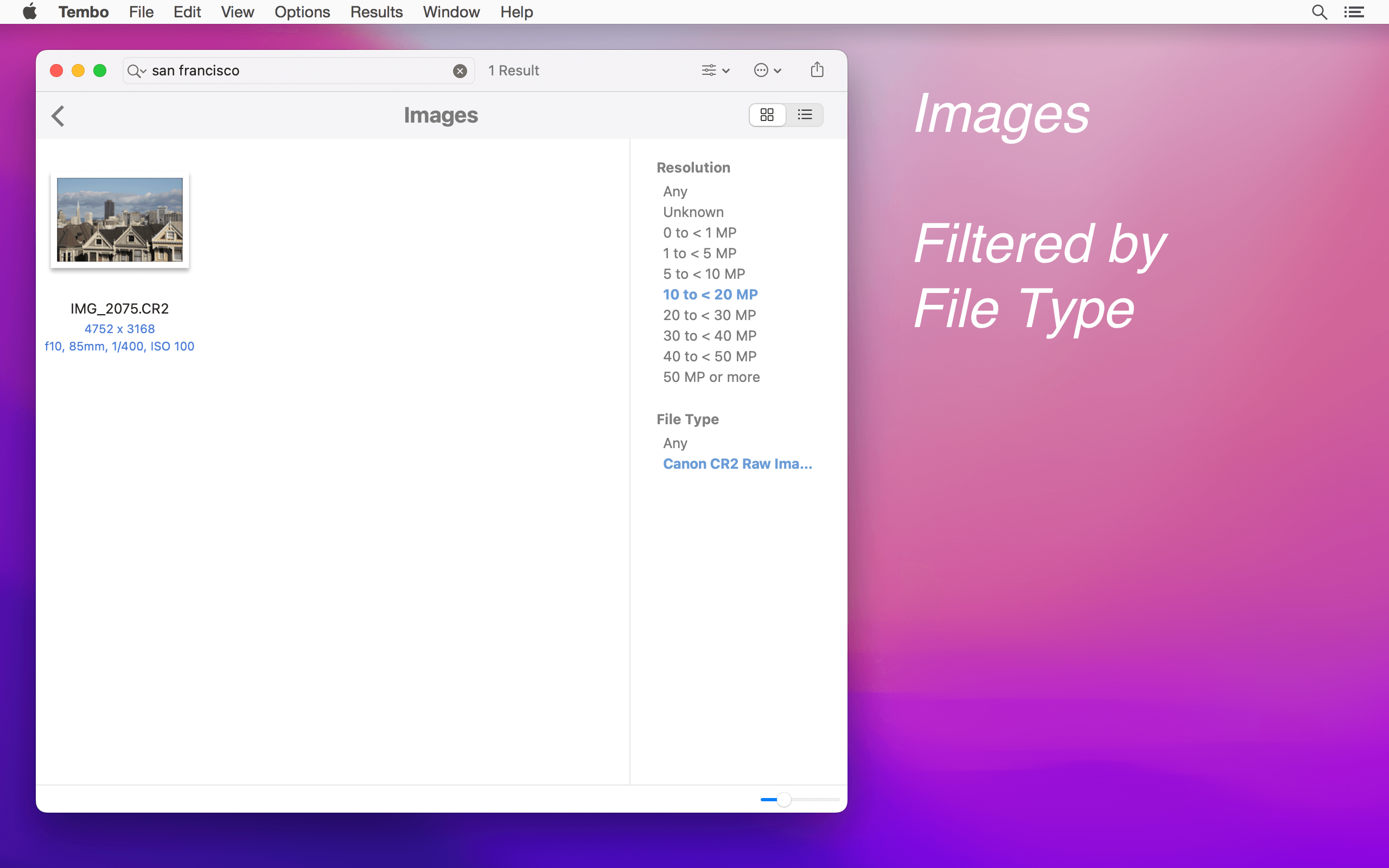
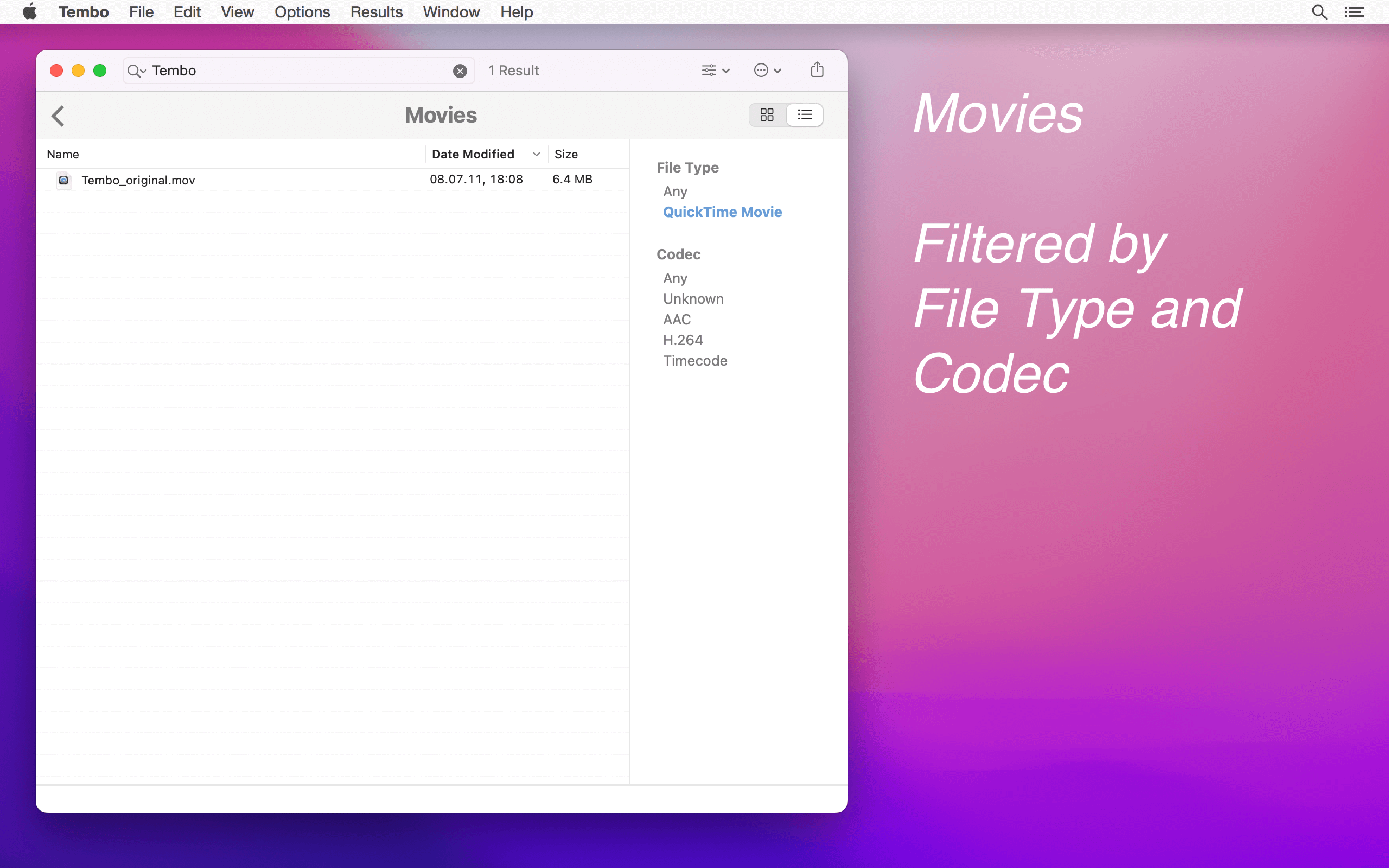
The real power of Tembo is revealed when you drill down into a group. Filters appropriate to the current group help you quickly find what you are looking for.
Filters show options that are actually available. The File Type filter, for example, shows a Microsoft Word option only if the search returned Word files.
Select that option to reduce the long list of results to just Word files. Command-click several filter values to see files of different types.
Need More Power?
For detailed searches, boolean operators, search templates and more, check out HoudahSpot: Powerful File Search for Mac.
Speed up your file searches!
Download Free Trial

Customer Voices
Tembo 3.2 requires macOS 12.3 or newer with Spotlight indexing enabled. It is fully compatible with macOS 26 Tahoe.
Tembo is optimized for both Intel and Apple Silicon Macs. Apple Mail search is no longer available since macOS Sonoma.
For earlier versions of macOS, download Tembo 2.7
Feature Highlights
- Rename, tag, or trash files from search results
- Share files using Mail, Messages, Facebook, etc.
- File Info window: easy-to-read overview of important file properties
- View options: font size, date format, grid of icons or previews
- Collapsible groups: hide rarely visited groups
- Menu bar button and global keyboard shortcuts
Filter Options
- Documents: File Type
- Fonts: File Type
- Images: Resolution, File Type
- Messages: Subject, From, To
- Movies: File Type, Codec
- Music: Artist, File Type
- PDF Documents: Author
- Source Code Files: File Type
Tembo uses the existing Spotlight index to get you to your files in no time. Tembo can find any file indexed by Spotlight. This includes files in the Library folders, but excludes most system files, hidden files, etc.
There are two versions of Tembo: Mac App Store and direct download.
The version available on the App Store is confined to the macOS application sandbox.
The sandbox requires Tembo to ask for explicit permission before it can access files or folders.
It also restricts interactions between applications.
Thus, some features are available in the direct download version of Tembo only.
The latest version available through the Mac App Store is 2.7. This does not include the Mail application plug-in.
What’s New in Tembo 3?
- Fresh New Look: Tembo has a fresh new look that puts the focus on your search results.
- File Tags: Tembo improves file tagging with quick access to your favorite tags.
- Grid View: The grid view has been reimagined to show pertinent file information along icons and file previews.
- Search By Date: Tembo 3.0 adds new options to search for files by time frame.
- Options: New options menu to quickly adjust your search parameters. Set default options in Tembo preferences.
- Apple Silicon: Tembo 3.0 works with the latest versions of macOS and fully supports Apple Silicon Macs.
Tembo 3.2 requires macOS 12.3 or later. Apple Mail search is no longer available since macOS Sonoma.
For earlier versions of macOS, download Tembo 2.7

